Skip to content
Logo
  • Home
  • About
  • About

Monthly Archives: October 2012

Interface Preference and Easter Egg in Photoshop CS6

Photoshop CS6 New Features – Customizable Interface and Easter Egg

October 19, 2012CS6cs6, easter egg, interface, photoshop

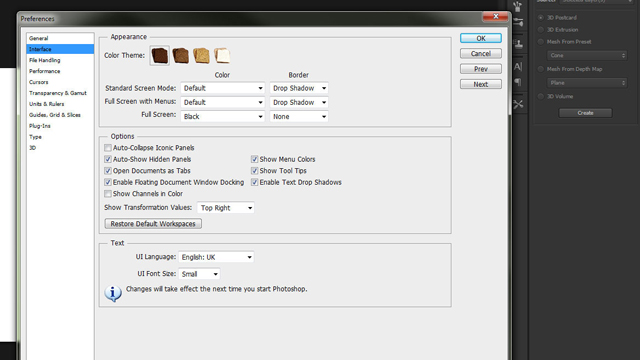
Photoshop CS6 New Features – Make the New Interface Work for You Changing the Appearance of Photoshop CS6 to Suit Your Image Tips and Tricks and Easter Eggs in Photoshop CS6 Interface Preferences A few useful tips and tricks on the new interface in Photoshop CS6. Or how to enjoy the benefits without the pitfalls.

Read More

Create a Sepia Toning Action in Photoshop CS6

Create and Edit a High Contrast Sepia Photoshop Action

October 14, 2012CS6cs6, font, groups, grunge, photoshop, text

Create and Edit a High Contrast Sepia Photoshop Action Edgy Sepia in Photoshop CS6 Create an Action to Create a Sepia Effect in Photoshop CS6 Create a punchy high contrast sepia monotone action (macro) in Photoshop CS6. Then edit it to create a simple vignette action. Photographic Toning Video: Photographic Toning

Halloween Face Shatter in Photoshop CS6

Shatter Effect – Photoshop CS6 Halloween Tutorial

October 14, 2012CS6cs6, displace, displacement, halloween, photoshop

Shatter Effect – Photoshop CS6 Halloween Tutorial Using the Displace Filter in Photoshop Easy Shatter and Disintegration in Photoshop CS6 In this Halloween themed video an ordinary picture is turned into a portrait of a shattered demon in a few simple steps. The displace filter can be used to create shatter and disintegration effects and

Read More

Surreal Masking in Photoshop CS6

Surreal Cutout in Photoshop CS6 using Basic Masking and Layer FX

October 6, 2012CS6cs6, layer styles, masks, photoshop, surrealism

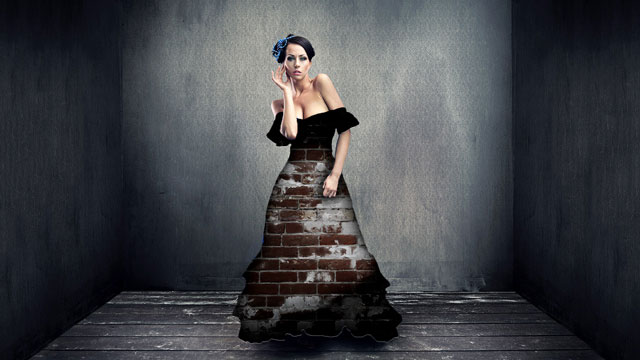
Surreal Cutout in Photoshop CS6 using Basic Masking and Layer FX Surrealism Made Simple in Photoshop CS6 Create a Cool Surreal Portrait in Photoshop CS6 Masks can be used for everyday compositing in Photoshop, but with a few layer styles the most of surreal of effects can be achieved and in much less time than

Read More

Theme by Think Up Themes Ltd. Powered by WordPress.